

FAQ
How to add a New Custom Attribute
You can freely add custom attributes to manage any information you need.
To add a new custom attribute, follow the steps below.
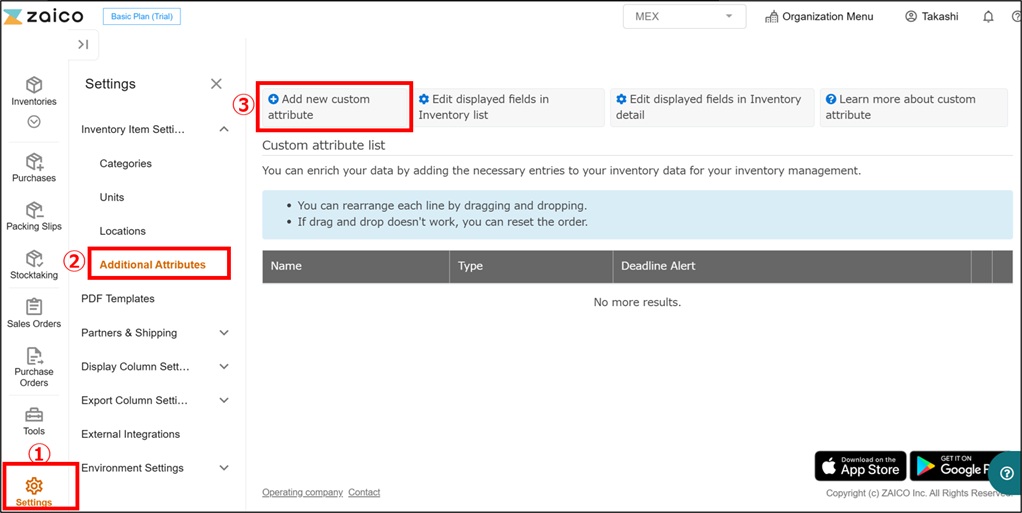
Go to "Settings" → "Additional Attributes", then click "Add new custom attribute".
Enter the attribute details, select the desired attribute type, and then click the "Create" button.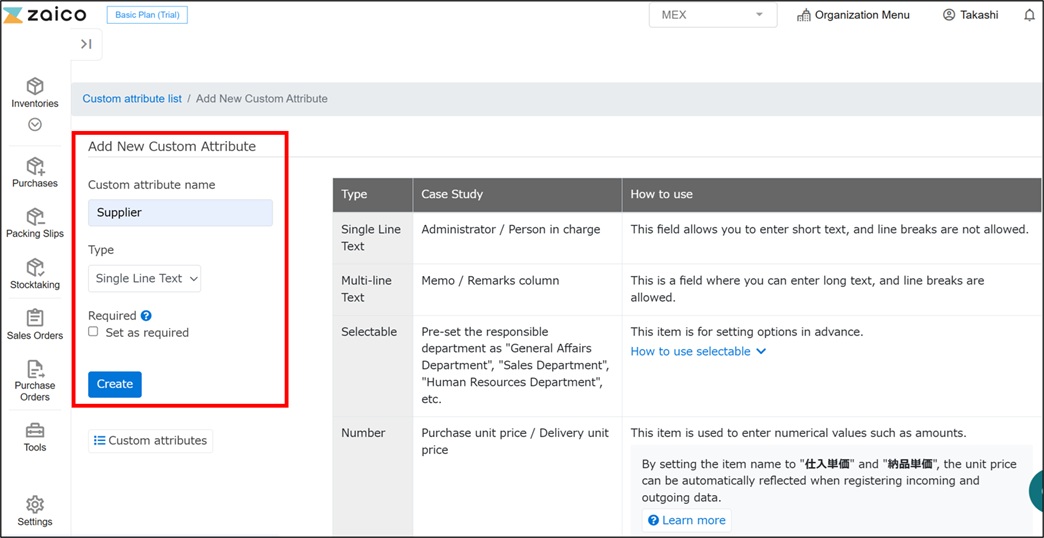
The new custom attribute has been added successfully.
You can also configure the display order of custom attributes for each screen.
